Run all your accounts from Claude, ChatGPT, or Gemini
On your phone? Email yourself the setup guide →
The guide now, occasional SocialGPT tips later. Unsubscribe anytime.
Get connected
Setup instructions
You'll need a desktop browser — connectors can't be added from the phone apps.
Open Claude's connector settings
In Claude's sidebar, go to Customize → Connectors and then hit Add → Add custom connector.
Open claude.ai/customize/connectors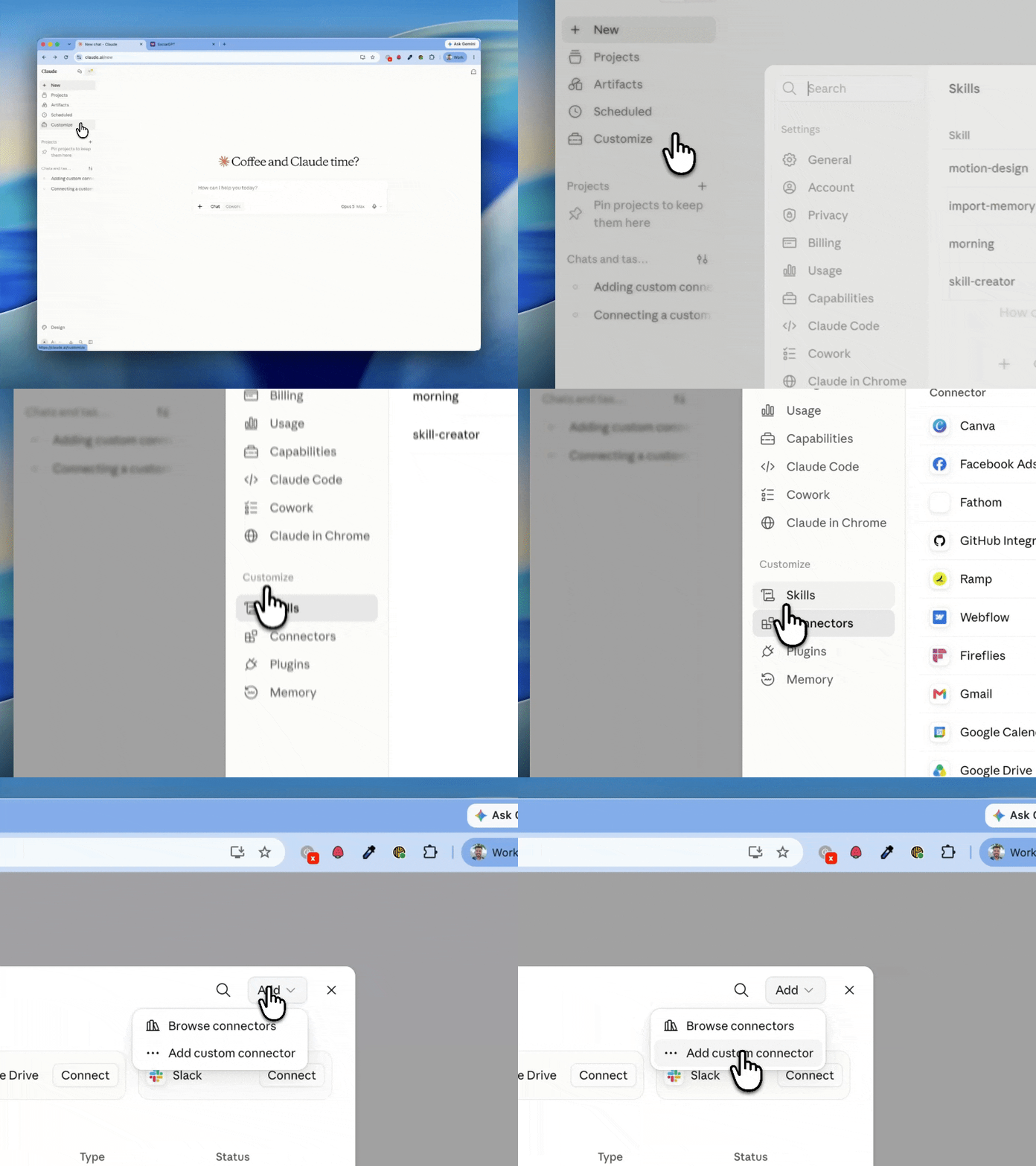
Add a custom connector
Name it SocialGPT, paste the server URL below, then click Continue and Add:
https://mcp.gpt.social/mcp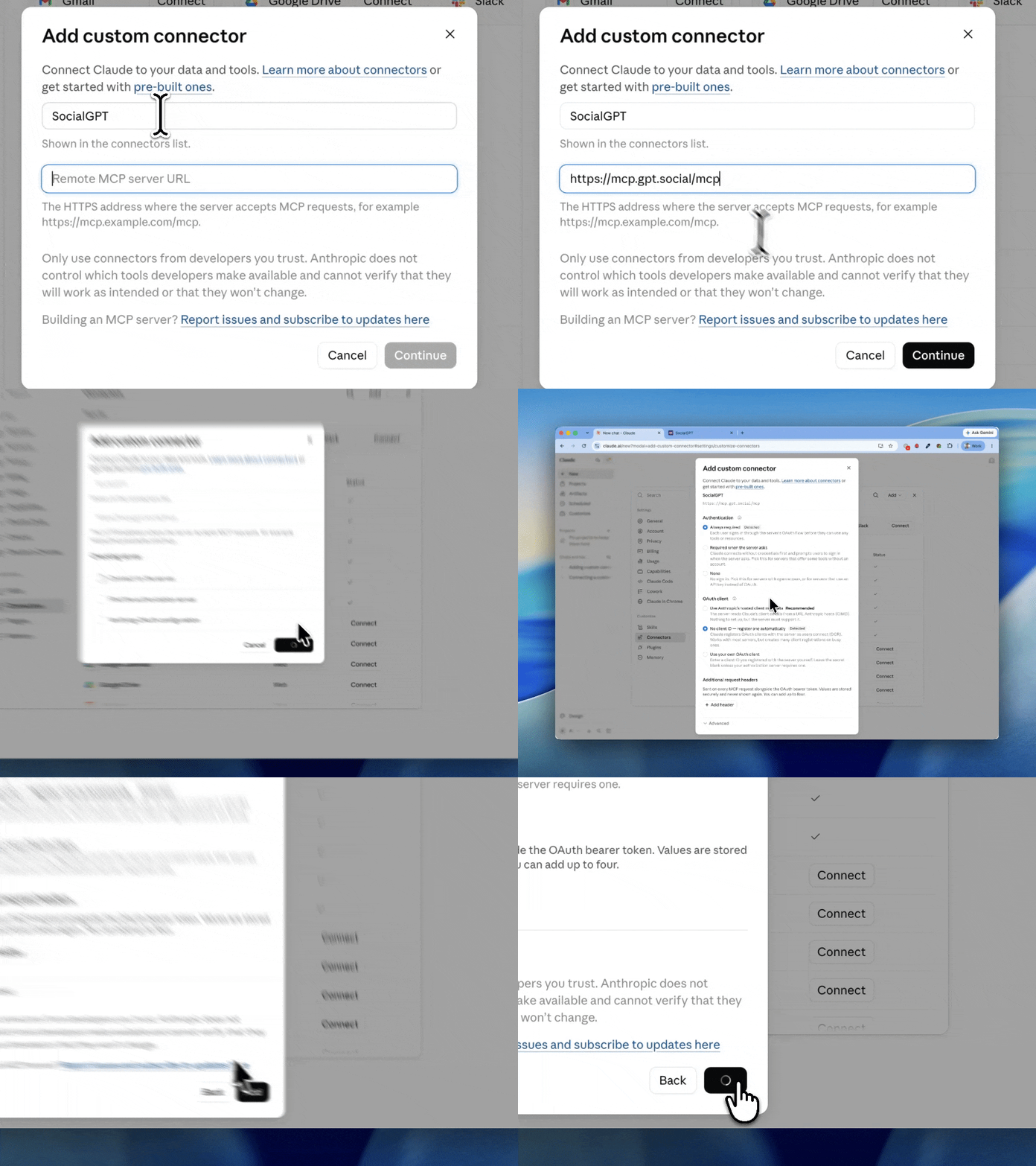
Create your SocialGPT account
Click Connect in your connectors list. You'll be prompted to create a SocialGPT account (or sign in if you already have one) and approve the connection.
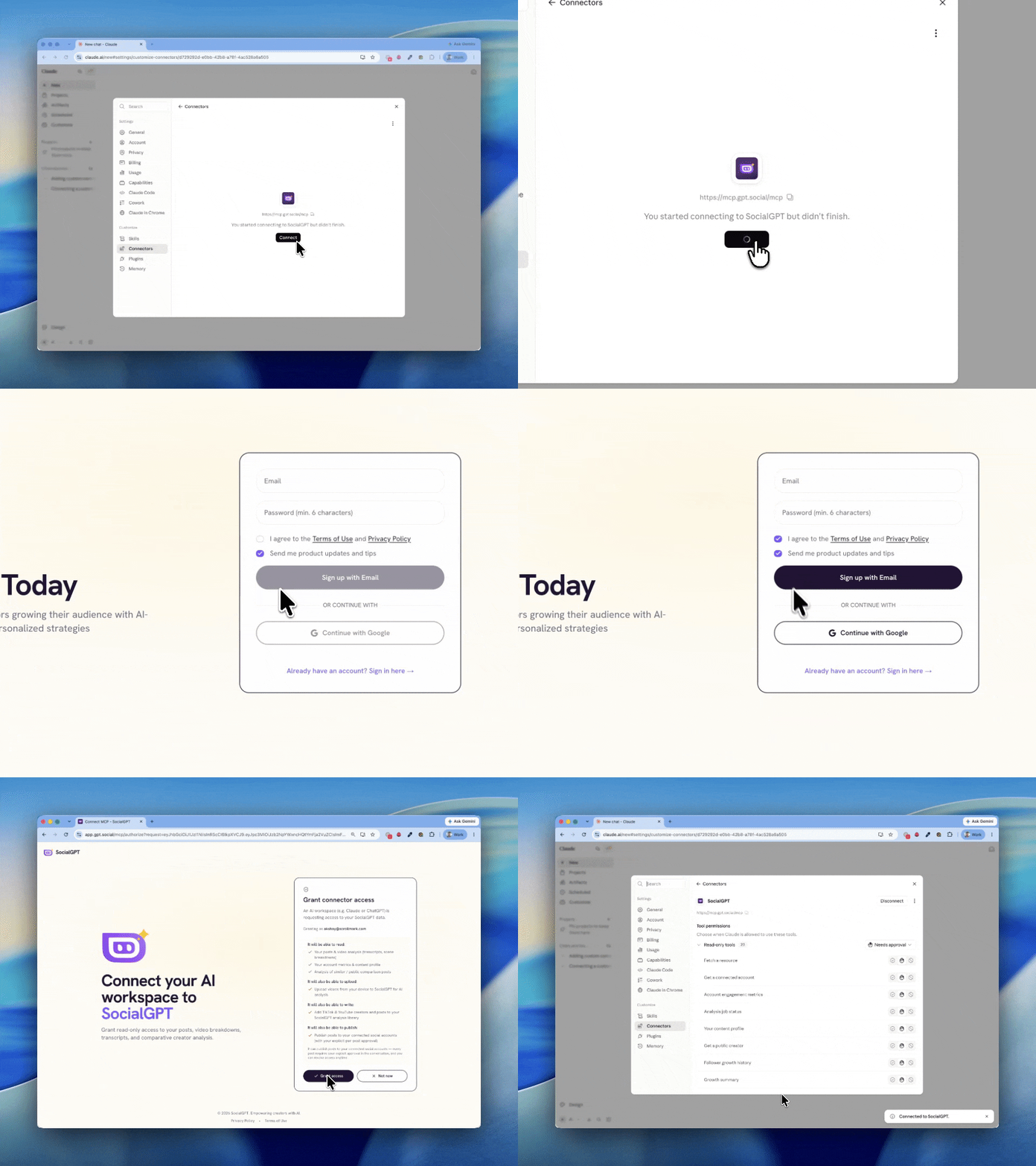
On Claude Team and Enterprise plans, an owner adds the connector first — then members can connect.
26 tools available today
Everything your AI agent needs
Video analysis, performance metrics, competitor research, and guided workflows — all accessible through natural conversation.
Your Content
Full visibility into your own posts and performance
- List and search your analyzed videos
- Deep-dive video analysis with hooks, themes, and transcripts
- Track views, engagement, and growth over time
- Cross-platform metrics across TikTok, Instagram, and YouTube
Competitor Intel
Reverse-engineer what works in any niche
- Look up any public creator's profile and content DNA
- Browse their top-performing and recent videos
- Find videos similar to yours from across the platform
- Benchmark your content against comparable creators
Guided Workflows
Pre-built prompts that chain tools together
- "Analyze my account" — full performance audit with recommendations
- "Compare to similar" — benchmark any video against competitors
- "What works in niche" — reverse-engineer a creator's winning formula
- "Connect account" — guided setup for linking your socials
- "Post from my device" — upload a local video and publish it, step by step
Content Profile
Your content DNA, always up to date
- Synthesized content pillars and recurring themes
- Voice and tone profile derived from your actual content
- Prescriptive playbook with strategic recommendations
- Evolves automatically as you create more content
Publish & Post
Ship it without leaving the conversation
- Post to TikTok, Instagram, and YouTube from your agent
- TikTok drafts land in your inbox — finish and post inside the app
- Upload a video from your device when there's no public URL
- Nothing goes live without your explicit confirmation
See it in action
Just ask
No dashboards to navigate. No data to export. Just talk to your AI agent like a teammate.
“How did my content perform this month compared to last?”
“Find creators in the fitness niche on TikTok and show me what's working for them”
“Analyze my latest Instagram reel and suggest better hooks”
“What are the top-performing video themes across my accounts?”
“Compare my engagement rate to similar creators on YouTube”
Ready-to-run prompt playbooks
Don't just ask. Install the analyst.
Skills pair with the MCP and run a real analysis on your data — a statistical performance audit, a competitor teardown, a hook breakdown — and hand you back a report. Add one to Claude in a minute.
Coming soon
Your AI agent won't just analyze. It'll create.
Publishing is live today. Next up: scheduling, scripts, and carousels your agent builds for you — all through the same MCP connection.
Schedule posts
Queue content for optimal posting times without leaving your workflow
Generate scripts
Create full video scripts grounded in your analytics and style
Design carousels
Generate carousel posts from your content DNA — publishing one already works
Manage comments
Read, reply to, and moderate comments across all platforms
A/B test hooks
Run experiments on hooks and captions to find what resonates
A few minutes from now, your AI knows your content
Add the connector to your AI tool, create your free SocialGPT account when it asks, and start asking real questions about your posts.